

Amazon A+ Content Examples: What Effective Design Actually Does

Updated: Oct 4
By Ruslan Groozov, Founder and Creative Director, AMZ Creative Studio · Reviewed October 4, 2026
Useful Amazon A+ Content examples show how design answers buyer questions. Look for clear product positioning, visual explanations, meaningful comparisons, familiar use context, and a consistent brand story. A beautiful page is worth studying when you can explain what each section helps the shopper understand.
This guide examines five decisions across three published AMZ Creative Studio projects. We describe visible creative choices, not private customer research, live module behavior, or measured sales results.
Key takeaways
Study the buyer question behind the design, not just its colors.
A close-up, use scene, and comparison should do different jobs.
Brand atmosphere should support product understanding.
Static portfolio previews cannot prove live interaction or conversion performance.
Apply the principle to your product rather than copying the layout.
What makes an example worth studying?
Start with three questions: what might the buyer need to understand, what does the artwork show, and how are those two connected?
An example can teach a useful principle even when it has no sales report. It can show a readable hierarchy, accurate product context, or a clear separation of information. It cannot establish effectiveness from appearance alone.
Amazon's A+ overview explains the available content types. Before adapting any example, confirm which fields and formats your account supports.
Example 1: product positioning that identifies the offer
Buyer question: What is this product, and where does it fit into my routine?

In our reusable microfiber cleaning-cloth project, the opening artwork shows the pack and cloths with a household-oriented message. The visible product gives the broad promise something concrete to refer to.
Design decision: Product identification and brand tone share the opening, instead of using a mood scene that hides the item.
Why it matters: Someone arriving from the gallery can connect the brand message to an actual product. They do not have to work out whether the page describes a cloth, a mop, or a cleaning liquid.
For your page, check whether a new shopper can identify the product from the opening section alone. A line such as “Designed for better living” needs product context. A precise product role is usually easier to understand.
Avoid loading this section with every specification. The opening should establish the subject and lead naturally to detail, not become a miniature instruction manual.
Published cleaning-cloth A+ artwork. Study the product opening, texture detail and use grid. Visible product claims belong to the original artwork; this design analysis does not independently verify them.
Read the artwork from the top down. The pack and folded cloths identify the offer before the texture close-up changes the scale of the explanation. Household application scenes then show where the product is used. The repeated coral accents connect these sections, while each section has a different information task.

Original explanatory diagram based on the principle; not a reproduction of the portfolio artwork.
Example 2: a close-up explains the feature
Buyer question: What is different about the material or construction?
The cleaning-cloth page includes a magnified texture view. This changes the scale of the explanation: the pack introduces the product, while the detail view makes a feature visible.
Design decision: A close-up is used to connect the material message with an inspectable detail.
Why it matters: The reader has more to evaluate than an adjective such as “advanced.” The image points to a part of the product and gives the accompanying explanation a clear subject.

The principle transfers to many products: a closure, fabric weave, removable plate, connector, or handle. The detail should be accurate and relevant to the purchase.
Separate visible facts from performance claims. A magnified texture shows texture. It does not by itself prove an absolute cleaning advantage or suitability for every surface. Any stronger claim still needs supporting evidence and review.
In the cleaning-cloth artwork above, the texture detail sits between the product opening and surface-use scenes. That placement links recognition to inspection: the reader first sees the item, then the material detail. Choose a close view that explains a real construction feature and keep performance wording tied to evidence.
Example 3: comparison should clarify a choice
Buyer question: What difference should I consider when comparing options?
The cleaning-cloth artwork includes a texture comparison, and the public case description discusses reusable-versus-disposable positioning. These are two possible comparison subjects: a physical feature and a use model.
Design decision: Comparison is tied to a defined difference rather than a generic table declaring the product better in every row.
Why it matters: A comparison can focus attention on the information the buyer should assess. But its wording must remain fair and supported. A visual checkmark is still a claim.
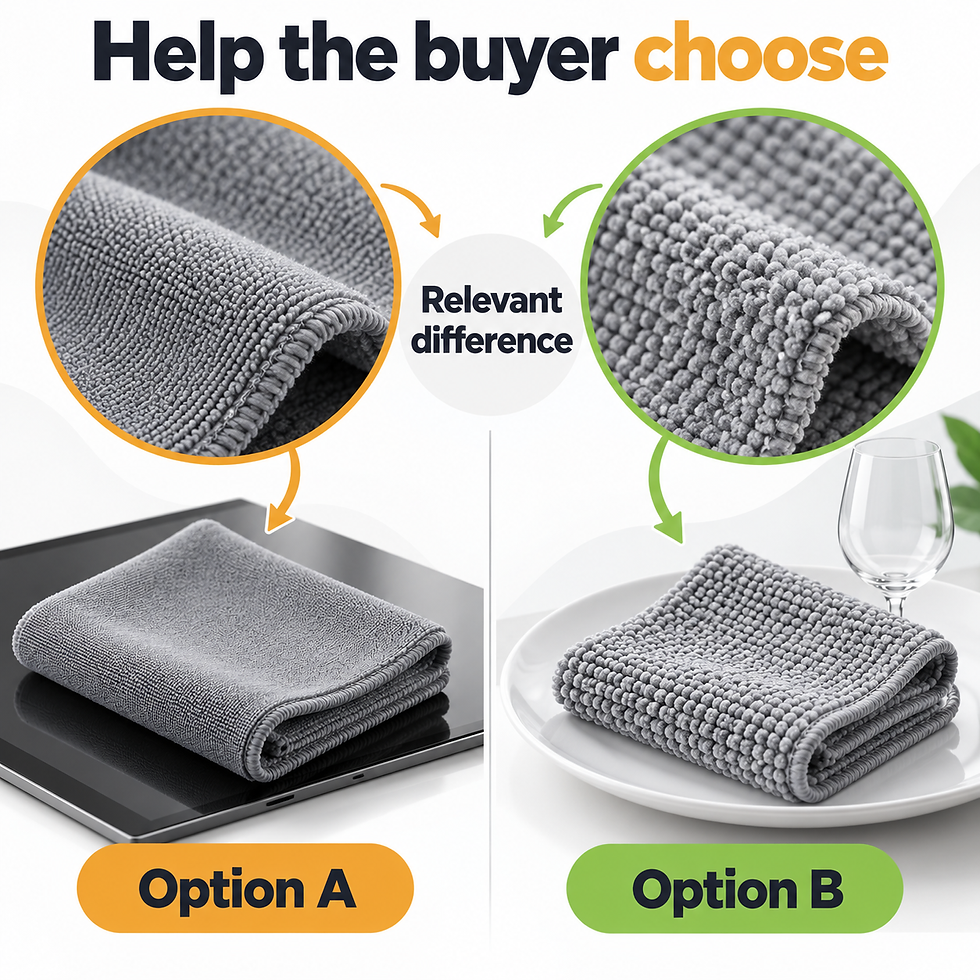
For your own product family, compare actual model differences. A shopper choosing a smaller or larger version needs dimensions and suitability, not identical “high quality” badges in both columns.
If comparing with alternatives, define the basis. Avoid implying that every competing product has a weakness when the evidence only concerns one particular construction. A careful comparison helps the reader without overstating the offer.
The texture comparison has a defined visual subject, while the reusable-versus-disposable section addresses use. Keep those comparison bases distinct. A magnified material view cannot establish lifetime value, and a reuse message does not establish a universal material advantage.
Example 4: put a small component in familiar context
Buyer question: Where does this part go, and what is it for?

Our office-chair caster project combines close views of the dual-wheel component with the wheels mounted on a chair. The item is no longer just a small technical object floating on a blank background.
Design decision: The page shifts between component detail and a recognizable seating environment.
Why it matters: Context helps the shopper connect the part with a use situation. Detail helps them inspect the component itself. Neither view needs to replace the other.
The same approach can work for a replacement filter, furniture fitting, or kitchen accessory. Show the actual application clearly and keep compatibility information explicit. A pictured chair alone does not prove the caster fits every chair.
The public artwork contains performance and certification language. This article is discussing layout and context, not independently endorsing those claims. Verify evidence before reusing such statements in new content.
Published office-chair caster A+ artwork. This analysis concerns composition and use context, not independent verification of its performance or certification statements.
The chair-mounted opening establishes the application before the close views ask the reader to inspect the component. The stem and paired wheels make the replacement part recognizable. A seller adapting this structure should add verified fit information: the chair scene supplies context, while exact compatibility must come from the product specification.

Example 5: brand storytelling that remains connected to the product
Buyer question: What kind of brand is this, and how does the product belong in that world?

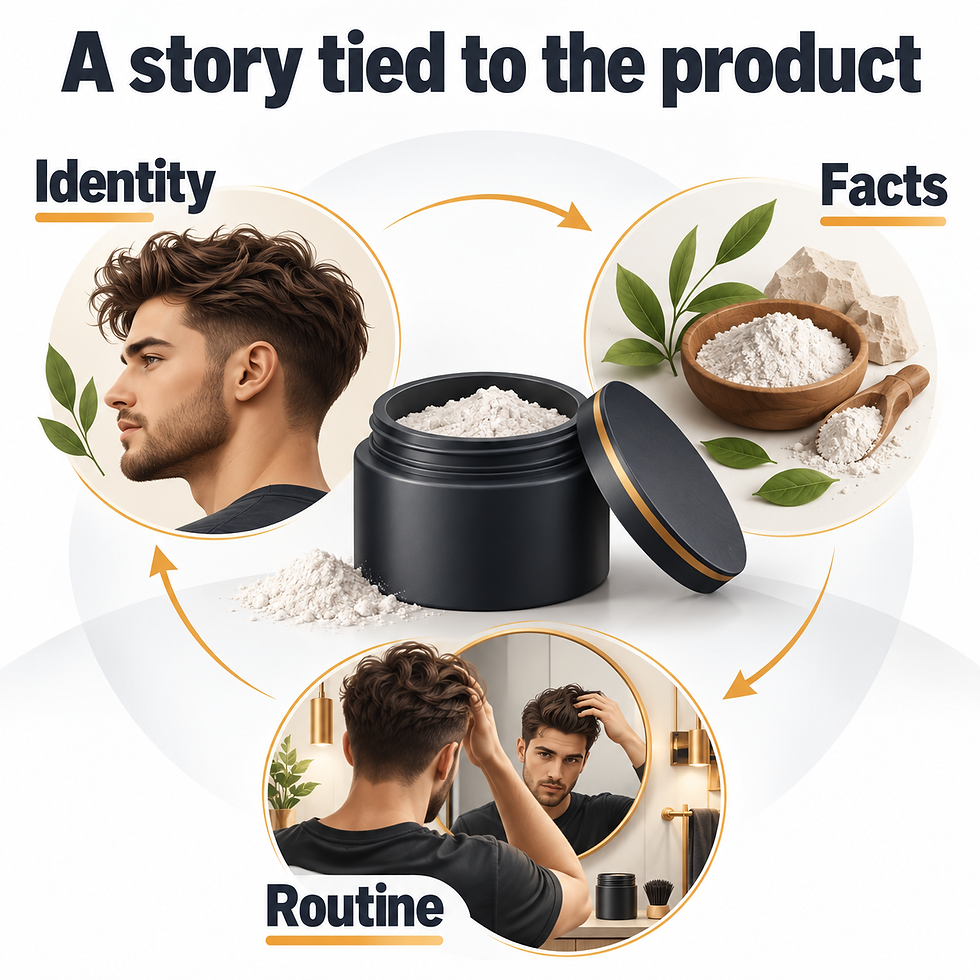
Our men's grooming A+ project uses a dark, high-contrast visual system, product views, an ingredient-oriented section, and barber-related imagery. The styling remains connected across the sections.
Design decision: Consistent typography, color, and imagery support a barbershop-inspired identity while product details occupy their own sections.
Why it matters: The page feels like one product story rather than several unrelated advertisements. The reader can move from brand presentation to formula information and use context without a sudden change in visual language.
This is a visual positioning lesson. Barber imagery does not establish a professional endorsement by itself, and a heritage statement still needs factual confirmation. Brand storytelling should not invent authority.
If you use a dark theme, check readability carefully. A style that feels atmospheric on a desktop can become low-contrast or dense on a phone.
Published men's grooming A+ artwork. The example shows a visual system; barber imagery and heritage wording are not independently verified endorsements or history.
The opening keeps the bottle visible beside the brand mark. The dark background, light lettering and fine framing continue through the product and barber-related sections, so the page keeps a recognizable identity as its subject changes. For a different product, preserve that continuity while choosing section headings and images that explain its actual routine.
What the three cases teach together
Principle | Visible example | Question to ask of your page |
Product positioning | Pack and cloths in the opening | Can a newcomer identify the offer? |
Feature explanation | Texture close-up | Does the claim point to something inspectable? |
Comparison | Defined texture or use difference | Does the comparison help a real choice? |
Context | Caster mounted on a chair | Can buyers connect the part to its use? |
Brand consistency | Grooming page's visual system | Does the page feel coherent while adding information? |
The value is in the connection between question and visual. Reusing the same colors or copying a module order will not recreate that connection for a different product.
Common patterns in weak A+ Content
A slogan opens every section. Readers see several promises but little new information. Write the specific answer each section should supply.
The gallery is repeated at larger size. A+ can expand explanation. Repetition wastes the opportunity when important questions remain unanswered.
Every feature has equal visual weight. The reader cannot tell what matters most. Prioritize the decisions that determine suitability.
Lifestyle images provide no context. Choose scenes that show scale, use, placement, or the intended routine.
Text is trapped in a wide graphic. It may shrink on phones. Use appropriate native text fields and simpler image layouts.
Claims replace evidence. Certification icons, star imagery, and absolute statements need more scrutiny than a decorative design element.
Basic and Premium examples: what a preview can tell you
A static portfolio preview can show composition, hierarchy, and product storytelling. It may not establish whether the page uses Basic or Premium live modules, whether a carousel works, or whether video was implemented.
For a platform comparison, use confirmed account features and our Basic-versus-Premium guide. For the commercial decision, read whether Premium A+ is worth it.
You can plan similar content principles in either version. Premium is relevant when its additional formats provide a better explanation, not merely because the artwork is wide or looks polished.
Turn inspiration into a brief
For each proposed module, write the buyer question, confirmed facts, visual subject, and text required. Then choose the supported format.
For a component, that might be: “Where does it go? Show the part mounted correctly. Use confirmed compatibility information. Explain any fit limitations.” For a household product, it might be: “How do I use it? Show the actual cleaning action. Include approved care instructions.”
Collect evidence before design starts. A designer should not have to invent specifications or decide which certification a product possesses. Keep approval of material claims with the business owner.
Our A+ cost guide explains why this planning and asset work affects a quote.
Evaluate your own page
Follow one buyer question through the page
Choose a question that matters for your product, such as whether a replacement component fits or what comes in the package. Find the exact place where the page answers it. Then check whether the answer remains clear on a phone and whether the wording agrees with the product's approved specifications.
This review helps separate a useful example from a visually impressive one. A polished scene may establish context, but a compatibility question still needs a precise answer. A close-up can explain texture, but it cannot establish a performance claim by itself. Keep the visual that helps the reader, add the missing factual explanation, and remove any repeated panel that contributes no new information.
Does the opening identify the product and its role?
Does each section answer a different useful question?
Are benefits connected to accurate features or demonstrations?
Are comparisons relevant and supported?
Do lifestyle scenes explain use or context?
Are compatibility and limitations easy to find?
Does the brand styling stay consistent?
Is critical information readable on a phone?
Do claims and visible assets have the necessary evidence and rights?
Does the live implementation match the approved content plan?
Frequently asked questions
What makes a good Amazon A+ Content example?
Clear information hierarchy, relevant visuals, and a visible connection to buyer questions. Sales effectiveness needs separate measurement.
Can I copy a competitor's layout?
Study the reasoning, then create your own content around your product facts and assets. Copying artwork or unsupported claims creates avoidable problems.
How many examples should I study?
A few directly relevant examples are often enough to identify useful patterns. Do not collect a large inspiration folder without deciding what each example teaches.
Do Premium examples always look better?
Not necessarily. Clear writing and good assets matter in both versions. Static previews also do not prove the implemented module type.
Can A+ replace the main image gallery?
No. The gallery still needs to answer the early product questions. A+ can add deeper explanation and brand context.
Build a page with useful answers
Explore our A+ Content design service and portfolio. Share what buyers still need to understand, and we can help define a page around those questions.


